
Virse Introduces Photo to Line Art Extraction for Product and Apparel Teams
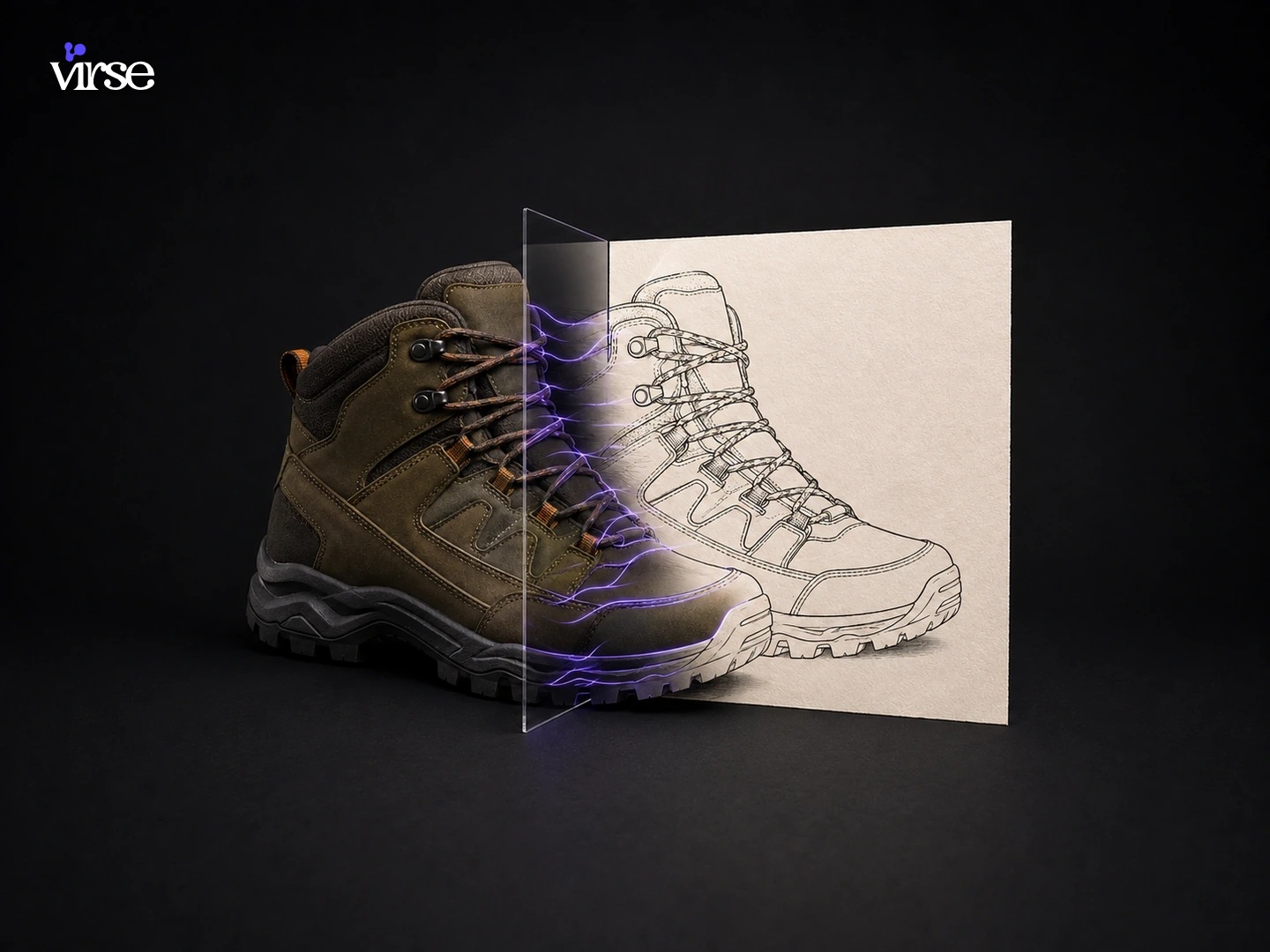
Dover, Delaware – November 11, 2026 – Virse offers industrial designers, apparel tech-pack authors, and commercial illustrators a dedicated AI line art generator inside its node-based Creative Canvas. Built to convert studio product photographs and physical prototype snapshots into clean, readable contour drawings, the workflow helps creative teams strip away distracting lighting, surface reflections, and background clutter during early design reviews.
When a product team critiques a new footwear midsole, a molded detergent bottle, or a stitched canvas tote, full-color photographs often get in the way of the conversation. Specular highlights on glossy plastic, studio softbox reflections, and heavy fabric textures pull attention away from the underlying proportions. For decades, designers who needed to turn photo into line drawing assets had two choices: trace over the photograph by hand with a tablet stylus for an hour, or run a desktop edge-detection filter that turned every cast shadow and fabric wrinkle into a noisy tangle of broken gray pixels.
Virse replaces edge-filter guesswork with a context-aware line extractor that reads object structure rather than raw pixel contrast. Operating on the same infinite canvas where teams house their moodboards, reference photos, and 50+ AI models, the tool separates true structural boundaries from accidental lighting artifacts.
Three distinct line languages for different design reviews
Not every design meeting needs the same level of linear detail. An industrial designer checking the handle ergonomics of an espresso machine needs internal parting lines, whereas a graphic designer building a minimalist instruction leaflet only wants a crisp outer profile.
To match how studio teams actually work, Virse’s photo to line art workflow organizes output around three practical line modes. The Structure study mode retains internal seam lines, panel junctions, gusset folds, and hardware placement so product developers and apparel spec-sheet writers can discuss construction details clearly. The Silhouette only mode isolates the outer contour and primary massing of the object, giving creative directors a fast way to compare proportions and stance across five or six competing concepts without interior visual noise. Finally, the Presentation outline mode produces a balanced, clean-weighted photo to outline drawing tailored for client pitch decks, assembly manuals, packaging back-panel diagrams, and patent-style visual explainers.
Because each extraction pass sits as an independent node on Virse’s Creative Canvas, a designer can drop one prototype photo onto the workspace and branch all three line styles side by side in under a minute. If a reflective chrome buckle or dark shadow area needs extra clarity, the user can pass a plain-language note to Virse Composer to emphasize specific seams while ignoring background props.
“A good line drawing forces a team to look honestly at proportion and seam placement before they spend money on tooling,” said a spokesperson for Virse. “Our goal with the lineart extractor on Virse is to give designers a clean structural drawing from any reference photo in seconds, while keeping the original photograph and every subsequent revision connected on the same canvas.”
Linking line drawings to soft goods, commemorative hardware, and packaging
In a commercial studio, generating line art from photo references is rarely the final stop. More often, a clean contour drawing serves as the bridge between a rough physical sample and the next stage of visual development. Virse’s node-based environment lets designers feed extracted line art directly into neighboring specialized tools.
A bag designer who photographs a taped foam mockup or vintage rucksack can run a photo to line drawing pass to lock down pocket geometry, then connect that node into the backpack design generator to test ballistic nylon, waxed canvas, and colorway variations across multiple viewing angles. Similarly, when a club or corporate event team wants to put a historic building or mascot onto a metal medallion, they can use the line art extractor to simplify the photograph into bold contours before feeding that clean drawing into the coin designer to preview raised brass or silver relief.
Consumer brands also rely on clean line illustrations to show how to assemble a dispenser or fold a carton on printed packaging. After generating the product outline, the packaging designer can place that illustration onto their flat box layout and preview the folded carton right on the same workspace. Independent makers and illustrators who turn signature product sketches into minimalist brand stationery can carry their extracted line motif straight into the business card generator to preview front-and-back card layouts.
Throughout these multi-step projects, Virse’s Aesthetic Memory keeps track of the team’s preferred stroke weight and visual character, and approved drawings can be organized in shared Asset Folders so colleagues across departments always pull from the latest version.
How to extract line art from an image on the canvas
Designers using the line art generator follow a direct sequence on the workspace. They start by uploading a studio product shot, a smartphone photo of a clay or cardboard prototype, or an apparel flat lay onto the canvas. Next, they select Structure study for internal seam callouts, Silhouette only for massing checks, or Presentation outline for client-facing decks and manuals, adding a brief note on which features matter most, such as keeping topstitching visible on a leather boot or omitting printed label graphics on a bottle.
Virse maintains clear product boundaries so technical teams know how the output fits their pipeline. The workflow to extract line art from image files generates high-resolution raster line art for design reviews, tech-pack sheets, and presentation graphics. It does not output native CAD files, editable SVG or DXF vector paths, or dimensionally certified engineering blueprints. When a concept passes visual sign-off, drafters use the approved drawing as a reference for final vector or CAD production.
Industrial designers, apparel developers, and technical illustrators can test photo to line art extraction on virse.ai starting with 200 free compute credits upon account creation. Subscription tiers including Pro, Max, and Business add larger monthly credit allowances and shared workspace governance for up to 50 team members.
About Virse
Built by a team of AI researchers and product designers recognized with over 100 international design accolades, Virse provides a human-led visual workspace for commercial creative teams. Operating out of Dover, Delaware, the platform connects 50+ curated AI models, Virse Composer, and Aesthetic Memory inside a single node-based canvas. Designers use Virse to convert rough physical references into structured drawings, mockups, and presentation visuals without switching between disconnected tools.
Media Contact
Company Name: Virse
Contact Person: Virse Media Relations
Email: Send Email
Country: United States
Website: https://www.virse.ai/


