
Tenorshare Highlights ReiBoot Solution for Addressing iPhone 18 Pro Random Restart and Panic-Full Errors
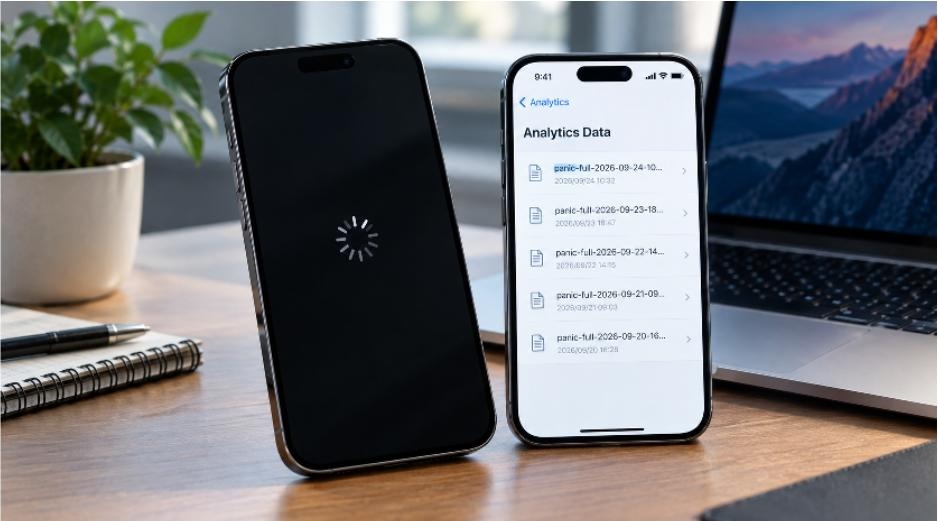
NEW YORK-United States – September 28, 2026 — Some iPhone 18 Pro and iPhone 18 Pro Max users have reported unexpected shutdowns and restarts shortly after the new devices launched. Some affected devices have also generated “panic-full” logs in Analytics Data. Reports have described incidents during Face ID authentication and other everyday use, while the exact cause remains unclear.
For users experiencing an iPhone 18 Pro randomly restarting, checking the device’s panic-full logs can provide useful information about the timing of system crashes. Tenorshare has shared a simple way to check these logs and troubleshoot potential iOS system issues.
How to Check Panic-Full Logs on iPhone 18 Pro
To check whether a recent restart generated a panic-full report:
Step 1. Open Settings and tap Privacy & Security.
Step 2. Select Analytics & Improvements, then tap Analytics Data.
Step 3. Look for files beginning with “panic-full.”
Step 4. Open a recent report and compare its date with the time the unexpected restart occurred.
A panic-full log can provide useful diagnostic information, but one report does not by itself confirm a hardware failure.
What to Do If iPhone 18 Pro Keeps Restarting
Users can first try a force restart and check Settings > General > Software Update for any available iOS update. Keeping apps updated can also help rule out software conflicts.
Users should also keep in mind that the current reports do not establish whether the underlying cause is software or hardware.
If the device continues restarting after basic troubleshooting and the problem appears to be related to the iOS system, a dedicated system repair tool may provide another option.
Fix iPhone 18 Pro System Issues with Tenorshare ReiBoot
Tenorshare ReiBoot provides an iOS system repair feature designed to help address common system issues, including unexpected restarts, freezing, and boot loops. Its Standard Repair mode is designed to repair iOS system problems while keeping personal data intact.
How to Repair iPhone 18 Pro with ReiBoot
Step 1. Launch Tenorshare ReiBoot on a Windows PC or Mac and connect the iPhone 18 Pro.
Step 2. Select iOS System Repair and choose Standard Repair.
Step 3. Check the recommended firmware package and click Download.
Step 4. Once the download is complete, click Start Standard Repair and keep the iPhone connected until the process finishes.
Users should back up important data before performing any system repair or recovery process.
About Tenorshare
Tenorshare was established in 2007 to develop software solutions for iOS and Android system management, data recovery, data transfer, repair, and other device utilities. Its products are designed to provide accessible solutions for common device management and system-related problems.
Media Contact
Company Name: Tenorshare Co. Ltd
Contact Person: Media Relations
Email: Send Email
Country: United States
Website: tenorshare.com


